Tag: oci
- Written by: ilmarkerm
- Category: Blog entry
- Published: April 1, 2024
Continuing my series of exploring Oracle Cloud, with the help of Terraform code. You can find the previous post here. I will be referring to resources created in the earlier post.
Object store
Oracle Cloud does provide S3 style Object Storage, that is just called Buckets. Buckets can also speak S3 protocol, so they are usable for applications that speak S3.
One difference from AWS S3 is that in Oracle Buckets the storage class/tier is not at the object level, you have to specify during the creation of the Bucket if it is at the Standard or Archive tier.
Here I create two Buckets, one in standard tier and one archival.
# object_storage.tf

data "oci_objectstorage_namespace" "user_namespace" {
    compartment_id = oci_identity_compartment.compartment.id
}

resource "oci_objectstorage_bucket" "standard_bucket" {
    # Referencing compartment from earlier
    compartment_id = oci_identity_compartment.compartment.id
    name = "my-standard-tier-bucket"
    namespace = data.oci_objectstorage_namespace.user_namespace.namespace
    access_type = "NoPublicAccess"
    auto_tiering = "Disabled"
    object_events_enabled = true
    versioning = "Enabled"
    storage_tier = "Standard"
}

resource "oci_objectstorage_bucket" "archive_bucket" {
    # Referencing compartment from earlier
    compartment_id = oci_identity_compartment.compartment.id
    name = "my-archival-bucket"
    namespace = data.oci_objectstorage_namespace.user_namespace.namespace
    access_type = "NoPublicAccess"
    auto_tiering = "Disabled"
    object_events_enabled = false
    versioning = "Disabled"
    storage_tier = "Archive"
}
And also adding some lifecycle policies. One to abort multipart uploads that have not finished in days and also one policy to delete old object versions.
# object_storage.tf

# Bucket lifecycle policies

resource "oci_objectstorage_object_lifecycle_policy" "standard_bucket" {
    bucket = oci_objectstorage_bucket.standard_bucket.name
    namespace = data.oci_objectstorage_namespace.user_namespace.namespace

    rules {
        action = "ABORT"
        is_enabled = true
        name = "delete-uncommitted-multipart-uploads"
        target = "multipart-uploads"
        time_amount = 2
        time_unit = "DAYS"
    }
    rules {
        action = "DELETE"
        is_enabled = true
        name = "delete-old-versions"
        target = "previous-object-versions"
        time_amount = 60
        time_unit = "DAYS"
    }
}

resource "oci_objectstorage_object_lifecycle_policy" "archive_bucket" {
    bucket = oci_objectstorage_bucket.archive_bucket.name
    namespace = data.oci_objectstorage_namespace.user_namespace.namespace

    rules {
        action = "ABORT"
        is_enabled = true
        name = "delete-uncommitted-multipart-uploads"
        target = "multipart-uploads"
        time_amount = 2
        time_unit = "DAYS"
    }
}
Block storage
A very good improvement over AWS is that in Oracle Cloud you can define declarative backup policies for block storage used in your compute instances. They are automatic snapshots, that are also cleaned up automatically after the retention period has expired. Lets start with that and define a backup policy that is executed every day at 0:00 UTC and kept for 60 days.
# block_storage.tf

resource "oci_core_volume_backup_policy" "test_policy" {
    compartment_id = oci_identity_compartment.compartment.id
    display_name = "Block storage backup policy for testing"
    schedules {
        backup_type = "INCREMENTAL"
        period = "ONE_DAY"
        hour_of_day = 1
        time_zone = "UTC"
        # Keep backups for 60 days
        retention_seconds = 3600*24*60
    }
}
There are also some backup policies already defined by Oracle. Sadly you cannot specify in data resource the name of the policy you want to address, so some array magic is needed when using it later.
# block_storage.tf

data "oci_core_volume_backup_policies" "oracle_defined" {}

# For examining the output
output "oracle_defined_volume_backup_policies" {
    value = data.oci_core_volume_backup_policies.oracle_defined
}
Now lets create some block storage volumes. First volume is the cheapest, lowest performance; and the second volume is using balanced performance profile.
# block_storage.tf

resource "oci_core_volume" "test_volume" {
    compartment_id = oci_identity_compartment.compartment.id
    # List availability domains
    # oci iam availability-domain list
    availability_domain = "MpAX:EU-STOCKHOLM-1-AD-1"
    is_auto_tune_enabled = false
    size_in_gbs = 50
    # vpus_per_gb = 0 - low cost option
    vpus_per_gb = 0
}

resource "oci_core_volume" "silver_test_volume" {
    compartment_id = oci_identity_compartment.compartment.id
    # List availability domains
    # oci iam availability-domain list
    availability_domain = "MpAX:EU-STOCKHOLM-1-AD-1"
    is_auto_tune_enabled = false
    size_in_gbs = 50
    # vpus_per_gb = 10 - balanced performance option
    vpus_per_gb = 10
}
And lets attach the volumes to their backup policies. First volume the the policy I created earlier and the second volume to Oracle defined backup policy.
resource "oci_core_volume_backup_policy_assignment" "test_volume" {
    asset_id = oci_core_volume.test_volume.id
    # Attach to user defined policy
    policy_id = oci_core_volume_backup_policy.test_policy.id
}

resource "oci_core_volume_backup_policy_assignment" "silver_test_volume" {
    asset_id = oci_core_volume.silver_test_volume.id
    # Attach to Silver policy
    policy_id = data.oci_core_volume_backup_policies.oracle_defined.volume_backup_policies[1].id
}- Written by: ilmarkerm
- Category: Blog entry
- Published: March 24, 2024
I thought I’ll start exploring Oracle Cloud offerings a little and try building something with Terraform.
The execution environment
OCI Could Console offers Cloud Shell and Code Editor right from the browser. Cloud Shell is a small Oracle Linux container with shell access, that has the most popular cloud tools and OCI SDKs already deployed. Most importantly, however, all Oracle Cloud API commands you execute from there, they run silently as yourself, no additional setup required. Including setting up terraform. Pretty awesome idea I would say – no need to set up any admin computer first.
Since I would mainly write code, I’m going to use only only Code Editor (which is actually VS Code in your browser) and VS Code also has a built in terminal for executing commands.
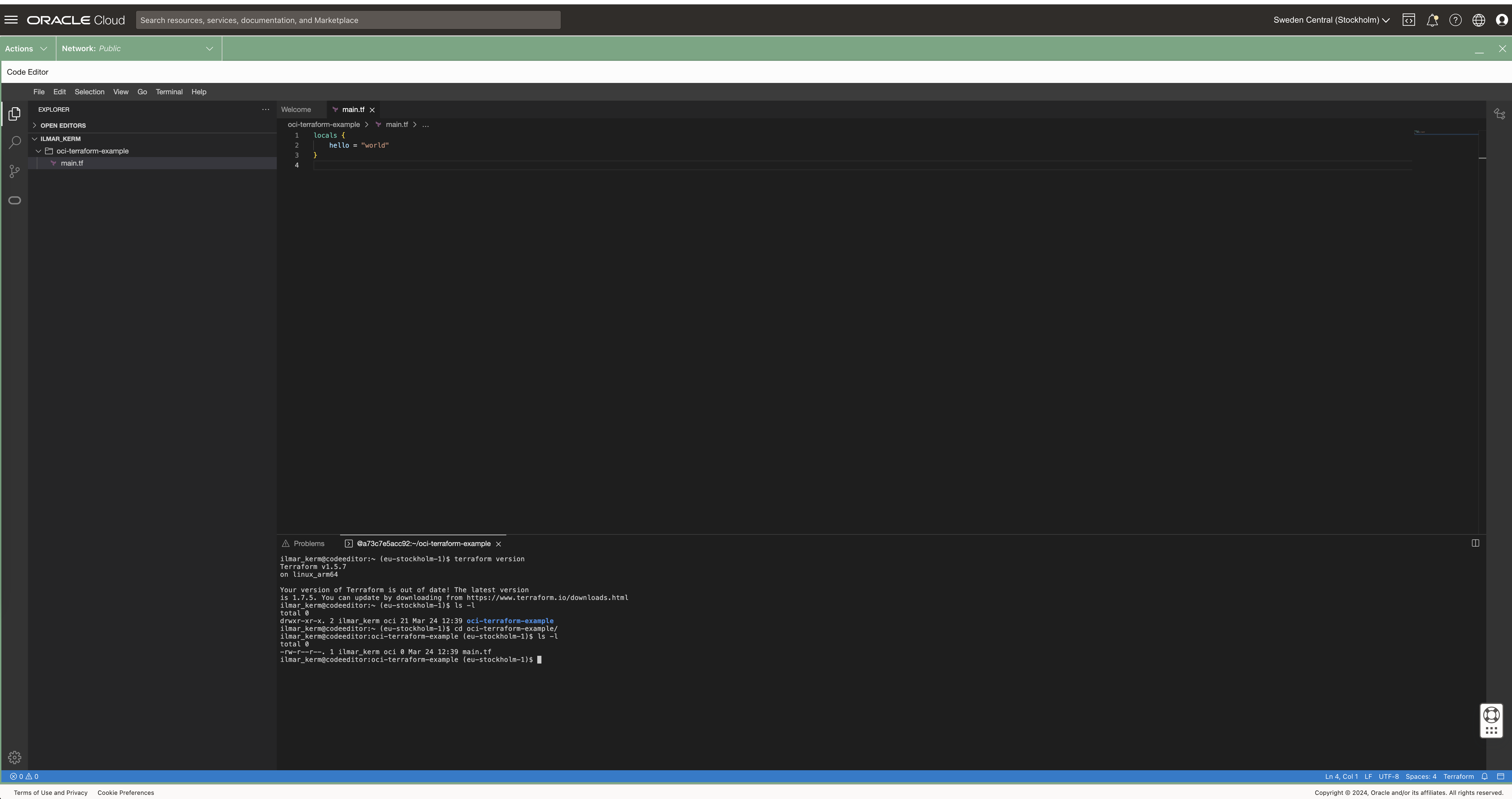
Read about executing and using Cloud Shell here.
Setting up Terraform provider
When executing from Cloud Shell / Code Editor, then setting up the terraform provider is very simple.
# versions.tf

provider "oci" {
   region = "eu-stockholm-1"
}
It is very good practice to also place terraform state file in the shared object store. OCI also provides an object store and to set it up first create a Bucket in Object Storage.
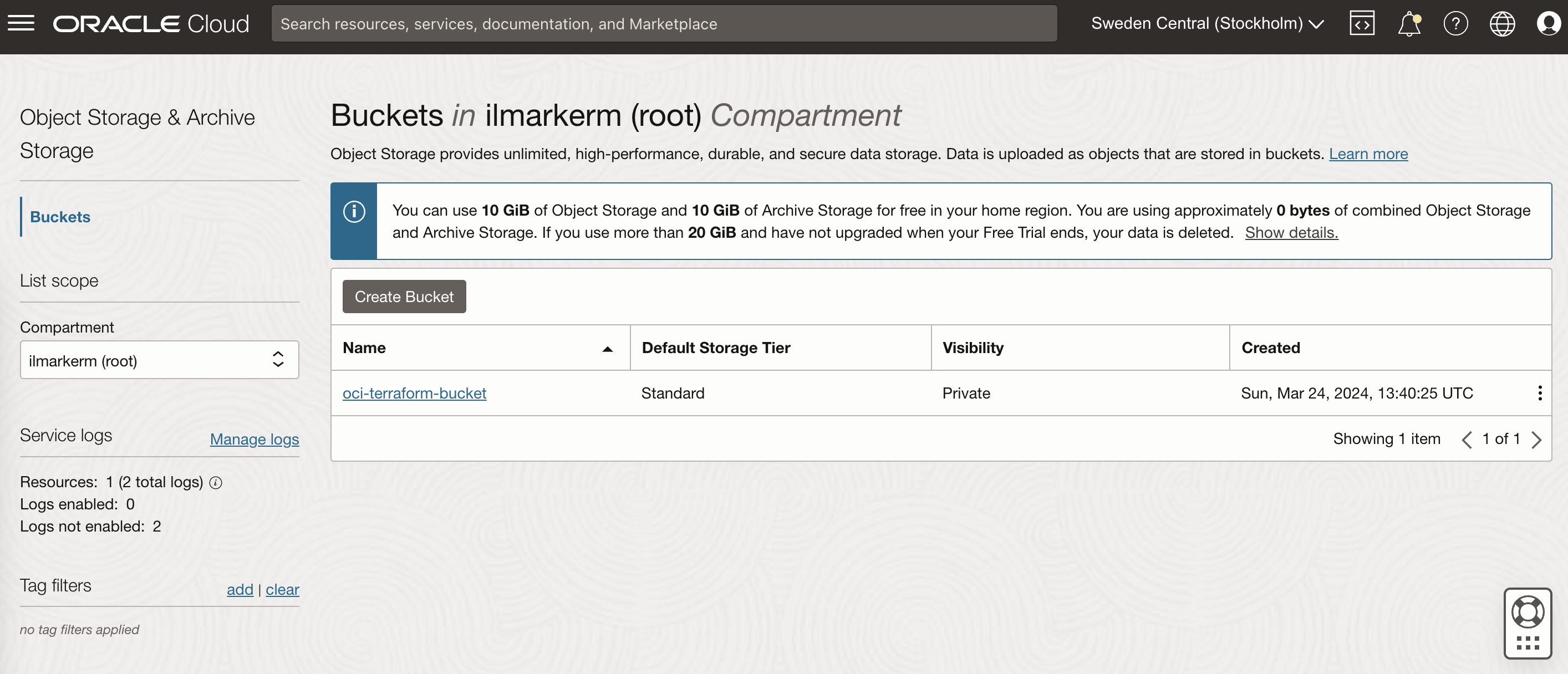
This also requires setting up Customer Secret Keys, for accessing the bucket using S3 protocol. I’m going to save my access key and secret access key in a file named bucket.credentials.
# bucket.credentials

[default]
aws_access_key_id=here is your access key
aws_secret_access_key=here is your secret access key


# remote_state.tf

terraform {
    backend "s3" {
        bucket = "oci-terraform-bucket"
        key    = "oci-terraform.tfstate"
        region = "eu-stockholm-1"
        # ax9u97qgbo5h is the namespace of the bucket, it is shown in the Bucket Details page
        endpoint = "https://ax9u97qgbo5h.compat.objectstorage.eu-stockholm-1.oraclecloud.com"
        shared_credentials_file     = "bucket.credentials"
        skip_region_validation      = true
        skip_credentials_validation = true
        skip_metadata_api_check     = true
        force_path_style            = true
    }
}
Creating compartment and basic networking
Compartment is just a handy hierarchical logical container which helps to organise your Oracle Cloud resources better. It can also be used to set common tags for all resources created under it.
# main.tf

locals {
    tenancy_id = "ocid1.tenancy.oc1..aaaaaaaawf2fv3ipfdp564ffiqpfqr6u6n3uofydgtihq3wget5357lq5i6a"
    environment = "dev"
}

# Information about current tenancy, for example home region
data "oci_identity_tenancy" "tenancy" {
    tenancy_id = local.tenancy_id
}

# Get the parent compartment as a terraform object
data "oci_identity_compartment" "parent_compartment" {
    # Top get list of existing compartments execute:
    # oci iam compartment list
    id = data.oci_identity_tenancy.tenancy.id
}

# Create compartment
resource "oci_identity_compartment" "compartment" {
    # Compartment_id must be the parent compartment ID and it is required
    compartment_id = data.oci_identity_compartment.parent_compartment.id
    description = "oci-terraform experiments"
    name = "oci-terraform-experiments"
    # Define some default tags that are added to all resources created under this compartment
    freeform_tags = {
        "deployed_by" = "terraform"
        "environment" = local.environment
    }
}
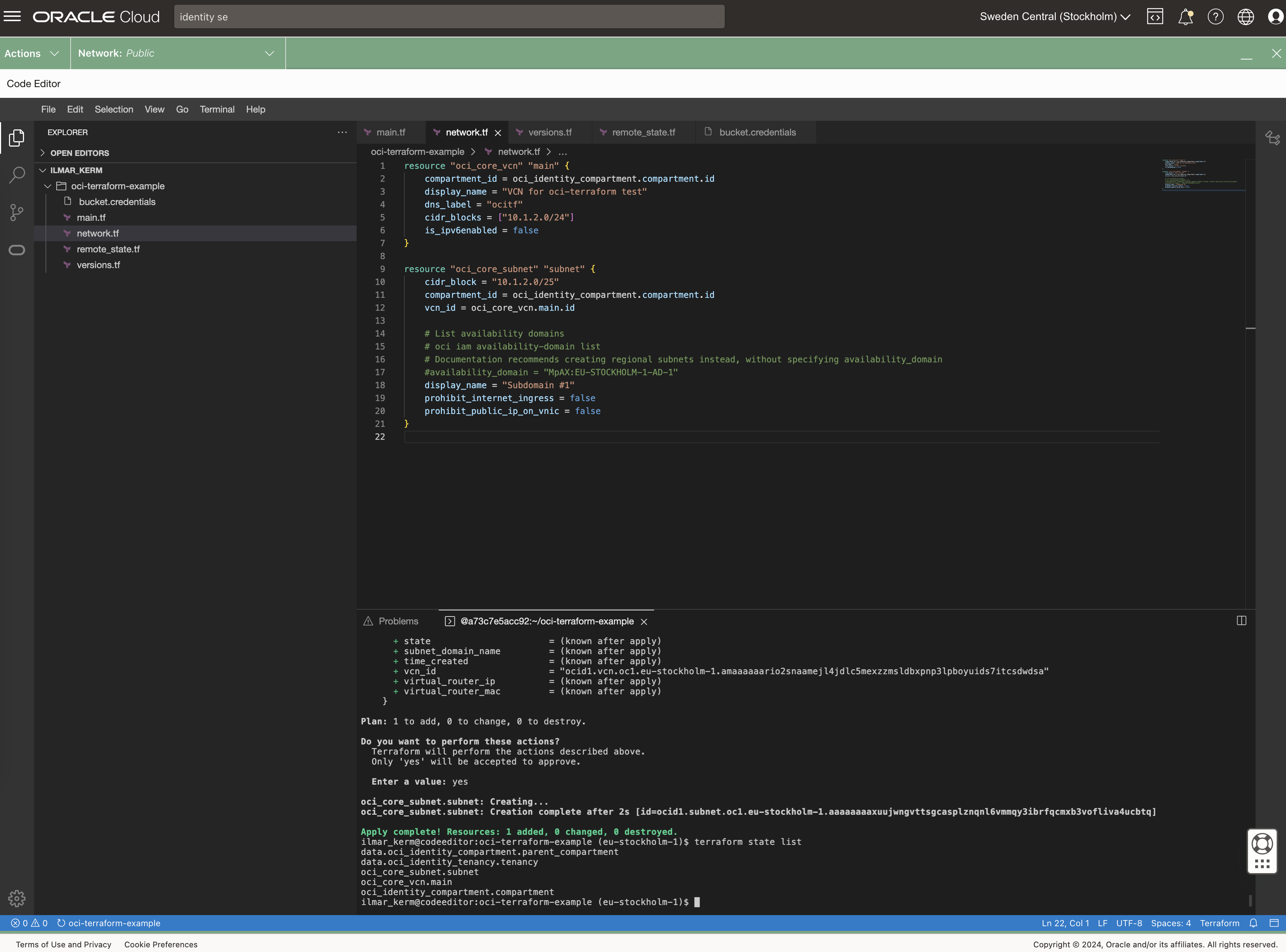
To set up networking, first you need VCN Virtual Cloud Network and under it subnets.
# network.tf

resource "oci_core_vcn" "main" {
    compartment_id = oci_identity_compartment.compartment.id
    display_name = "VCN for oci-terraform test"
    dns_label = "ocitf"
    cidr_blocks = ["10.1.2.0/24"]
    is_ipv6enabled = false
}

resource "oci_core_subnet" "subnet" {
    cidr_block = "10.1.2.0/25"
    compartment_id = oci_identity_compartment.compartment.id
    vcn_id = oci_core_vcn.main.id

    # List availability domains
    # oci iam availability-domain list
    # Documentation recommends creating regional subnets instead, without specifying availability_domain
    #availability_domain = "MpAX:EU-STOCKHOLM-1-AD-1"
    display_name = "Subdomain #1"
    prohibit_internet_ingress = false
    prohibit_public_ip_on_vnic = false
}
To be continued
I don’t really know where this post series is going. I’ve done quite a bit of Terraforming in AWS, so here I’m just exporing what Oracle Cloud has to offer and instead of using the dreaded ClickOps, I’ll try to be proper with Terraform.
At the end of the post I have these resources created.